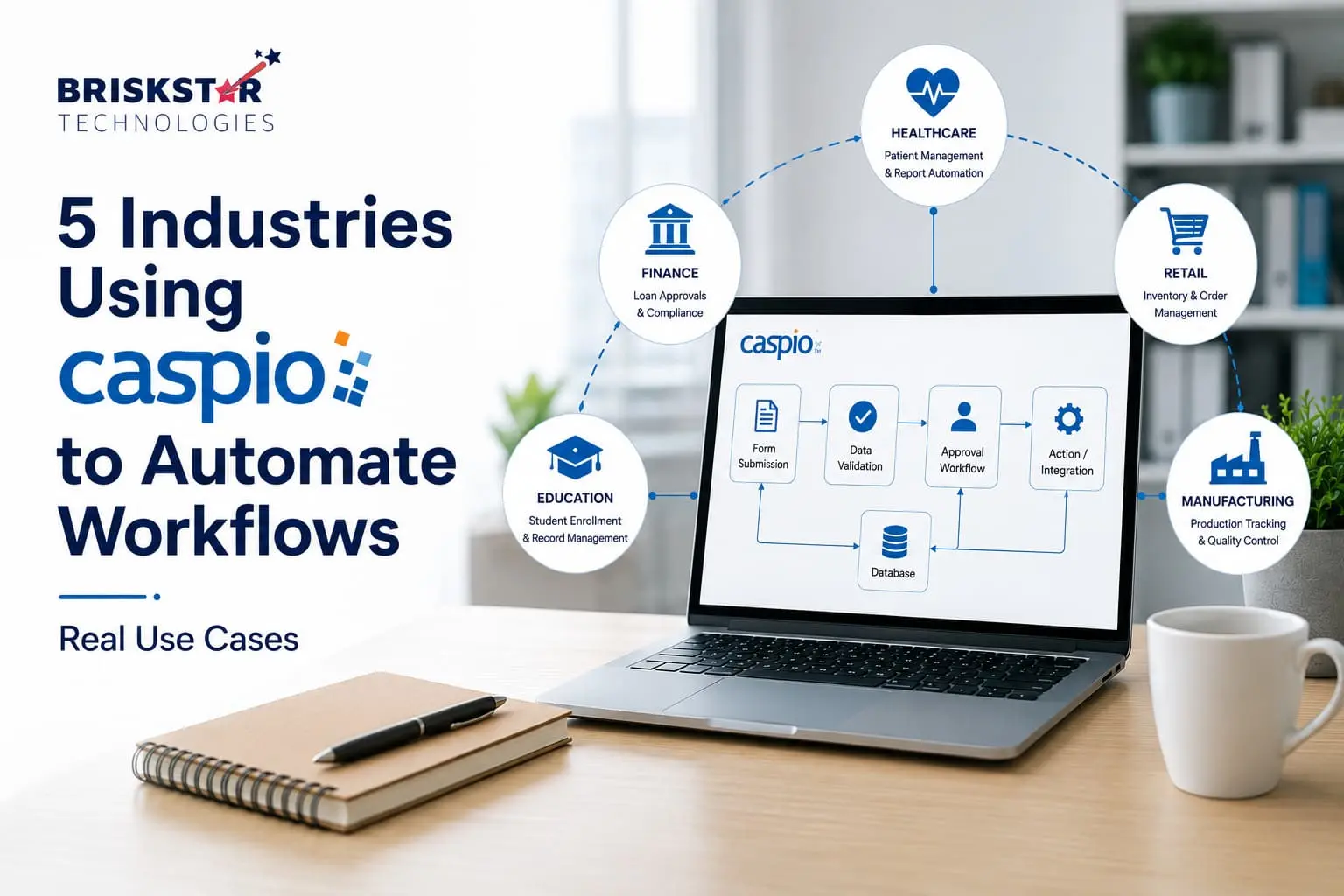
5 Industries Using Caspio to Automate Workflows Real Use Cases
A clinic manager tracks patient intake through three separate spreadsheets. A loan officer waits two days for an approval email that got buried in someone’s inbox. A warehouse supervisor finds out about a stockout only after a customer complains. None of these are dramatic failures; they’re just what happens when a business outgrows the tools it started with.
Spreadsheets and email chains work fine at a small scale. The moment a team adds more people, more locations, or more customers, the same tools start creating the problems they were supposed to prevent: lost approvals, duplicate data entry, and no one person who can say with confidence what’s actually happening right now.
This is usually the point where a business starts looking at digital transformation not as a buzzword, but as a practical need to replace manual handoffs with structured, trackable workflow automation. The challenge is that custom software takes months and a dedicated engineering team that most operations-focused businesses don’t have.
This is where Caspio fits. It’s a low-code platform built specifically for businesses that need secure, database-backed applications without a multi-year development cycle. In this article, we’ll walk through how five different industries healthcare, financial services, manufacturing, real estate, and education are actually using Caspio workflow automation to solve day-to-day operational problems, and what that looks like in practice.
What Is Caspio and Why Businesses Use It
Caspio is a low-code application development platform that lets businesses build secure, database-driven web applications without writing extensive custom code. It’s commonly used to build internal tools, customer portals, and approval systems that would otherwise require a dedicated software team.
At its core, Caspio combines a visual application builder with a managed relational database, so operations and IT teams can design workflows, intake forms, approval chains, and dashboards without starting from a blank codebase.
What makes it relevant to workflow automation specifically:
- Low-code platform: Business logic is configured visually rather than hand-coded, which shortens build time significantly.
- Secure database applications: Caspio applications sit on a managed database with built-in encryption and access controls, which matters for industries handling sensitive records.
- Role-based access: Different users (staff, managers, external partners) see only what they’re permitted to see.
- API integrations: Caspio applications can connect to other business systems (CRMs, accounting tools, e-signature platforms) through REST APIs.
- Faster development: Applications that might take four to six months to custom-build can often be functional in a fraction of that time.
- Reduced operational costs: Fewer engineering hours and less ongoing maintenance overhead compared to a fully custom stack.
In short: Caspio gives operations leaders a way to build the internal tools they actually need, without needing a large engineering budget to get there.
Why Businesses Are Moving Away from Manual Workflows
Most businesses don’t set out to depend on spreadsheets and email. It happens gradually, one workaround at a time, until the workaround becomes the process. A few patterns show up repeatedly across industries:
- Spreadsheet dependency: Critical data lives in files that get copied, edited, and emailed around, with no single source of truth.
- Approval delays: Requests sit in inboxes waiting for someone to notice them, with no visibility into where a request actually stands.
- Human errors Manual data entry across multiple systems introduces mismatched records and duplicate entries.
- Duplicate work: The same information gets re-entered into a spreadsheet, an email, and sometimes a separate system, because nothing talks to anything else.
- Compliance issues: Industries like healthcare and financial services need auditable records; spreadsheets and email threads rarely hold up under audit scrutiny.
- Lack of visibility: Leadership can’t answer basic operational questions (“how many requests are pending?”) without someone manually compiling a report.
- Slow reporting: Because data lives in scattered files, generating an accurate report can take days instead of minutes.
According to McKinsey’s research on digital transformation, organizations that successfully modernize core operational processes tend to see measurable gains in speed and accuracy, but the underlying driver is almost always the same: replacing manual, disconnected processes with structured systems. Gartner’s coverage of the low-code market points to a similar trend, with more organizations turning to low-code platforms specifically to close this operational gap without lengthy custom builds.
The industries below show what that looks like in practice.
Industry 1: Healthcare
Healthcare practices deal with a constant stream of paperwork, patient intake, insurance verification, referrals, appointment approvals, much of it under regulatory scrutiny.
Typical Problems
- Patient intake forms handled on paper or disconnected PDFs
- Appointment approvals requiring manual back-and-forth
- Insurance forms tracked outside the patient record system
- Manual records that make audits time-consuming
- Workflows that need to stay HIPAA-aware, not just “functional”
Real Use Cases
- Patient portals for online intake and document submission
- Staff dashboards showing daily patient volume and pending tasks
- Referral management systems that track a referral from submission to completion
- Internal approval systems for scheduling, procedures, or insurance pre-authorization
- Compliance tracking tools that log who accessed or modified a record and when
Business Benefits
- Faster patient onboarding, since intake data flows directly into a structured system
- Fewer administrative errors from manual re-entry
- Improved staff efficiency, since front-desk and clinical staff aren’t chasing paperwork
A practice that moves patient intake from paper forms to a Caspio-based portal typically sees the biggest impact not in any single step, but in the elimination of the manual re-entry that used to happen between intake, scheduling, and billing.
Industry 2: Financial Services
Financial services firms, from lenders to advisory firms, run on approvals and documentation, both of which are hard to manage well over email.
Problems
- Loan processing that involves multiple manual handoffs between departments
- Internal approvals that lack a clear audit trail
- Customer onboarding that requires collecting and verifying multiple documents
- Compliance paperwork that has to be retrievable on demand
Use Cases
- Loan approval systems that route applications through defined approval stages
- CRM dashboards giving relationship managers a single view of client status
- Internal portals for document collection and verification
- Financial reporting tools that pull structured data instead of manually compiled spreadsheets
- Document tracking systems tied to compliance requirements
Benefits
- Reduced processing time, since applications move through a defined workflow instead of an email chain
- Better compliance, with a traceable record of who approved what and when
- Faster customer service, because staff can see application status without searching multiple systems
Forrester’s research on financial services technology has repeatedly noted that operational efficiency gains in this sector often come less from adding new capabilities and more from removing friction in existing approval processes, which is exactly the gap this kind of application addresses.
Industry 3: Manufacturing
Manufacturing operations depend on accurate, real-time visibility into inventory, purchasing, and production, something a static spreadsheet can’t provide.
Problems
- Inventory tracking that lags behind actual stock levels
- Purchase requests routed manually through email
- Vendor approvals with no centralized record
- Production reporting compiled after the fact rather than in real time
Use Cases
- Inventory dashboards showing current stock levels across locations
- Purchase approval workflows that route requests to the right approver automatically
- Maintenance requests tracked from submission through resolution
- Vendor portals for managing vendor information and communication in one place
Benefits
- Better visibility into inventory and production status
- Reduced delays in purchasing and maintenance requests
- Improved operations overall, since decisions are based on current data rather than last week’s spreadsheet export
A production floor manager who can see real-time inventory data through a dashboard makes different (and faster) purchasing decisions than one waiting on an end-of-week spreadsheet update.
Industry 4: Real Estate
Real estate businesses juggle property data, leads, agents, and documents often across multiple disconnected tools.
Problems
- Property management data scattered across spreadsheets and PDFs
- Lead tracking that depends on individual agents’ personal systems
- Agent communication that happens informally, with no shared record
- Document approvals (leases, inspections) that move slowly through email
Use Cases
- Property listing dashboards giving teams a shared view of active listings
- CRM systems for tracking leads and client interactions
- Inspection tracking tools tied to specific properties and timelines
- Lease approvals routed through a defined internal process
Benefits
- Faster deal management, since agents and staff share the same data
- Organized documentation instead of scattered files
- Improved client experience, since staff can answer questions without digging through email threads
Industry 5: Education
Education institutions handle admissions, staff requests, and student records, all of which involve repetitive approval steps and a lot of paperwork.
Problems
- Student admissions processed manually across departments
- Internal approvals for budgets, leave, or resources handled by email
- Staff requests with no central tracking
- Student records maintained across disconnected systems
Use Cases
- Admission portals for application submission and review
- Faculty dashboards for managing course loads, requests, and approvals
- Student management systems tracking enrollment and records
- Attendance reporting tools replacing manual roll-call tracking
Benefits
- Reduced paperwork across admissions and administrative processes
- Faster processing of applications and internal requests
- Better record management, with student data centralized instead of scattered
Common Features Businesses Build with Caspio
Across these five industries, the same categories of application keep showing up. Businesses are typically building:
| Application Type |
Common Use |
| Customer Portals |
Self-service access to information or document submission |
| Employee Portals |
Internal requests, HR forms, resource access |
| Approval Workflows |
Routing requests through defined approval stages |
| Internal Dashboards |
Real-time visibility into operations |
| CRM |
Managing leads, clients, and relationships |
| Vendor Portals |
Centralizing vendor communication and data |
| Inventory Systems |
Tracking stock levels and movement |
| Reporting Dashboards |
Replacing manual spreadsheet reporting |
| Document Management |
Centralized, trackable document storage |
| Mobile-friendly Applications |
Access for field staff and remote teams |
Why Companies Choose Caspio Over Traditional Development
Custom software development gives a business full control, but that control comes with a longer timeline and a higher ongoing cost. Caspio’s low-code approach trades some of that flexibility for speed and lower maintenance overhead, a trade-off that makes sense for most internal business applications.
| Factor |
Custom Development |
Caspio (Low-Code) |
| Development Time |
Months to over a year |
Weeks to a few months |
| Maintenance |
Requires ongoing engineering resources |
Managed platform reduces maintenance burden |
| Security |
Depends entirely on in-house implementation |
Built-in database security and access controls |
| Cost |
Higher upfront and ongoing engineering cost |
Lower total cost for most internal applications |
| Scalability |
Fully customizable, but requires engineering effort to scale |
Scales within platform capabilities with less rework |
| Integration |
Built case-by-case |
API-based integrations available out of the box |
| Business Flexibility |
High, but slow to change |
Faster to adjust workflows as business needs shift |
The right choice depends on the application. A highly specialized, customer-facing product may still warrant custom development. An internal approval system, portal, or dashboard rarely needs that level of custom engineering, which is exactly where Caspio tends to be the more practical choice.
When Is Caspio the Right Choice?
Caspio tends to be the right fit when a business is:
- Replacing spreadsheets that have become unmanageable or error-prone
- Handling legacy modernization, where an old internal tool needs to be rebuilt without a full re-architecture
- Building internal business apps that don’t need to be customer-facing products
- Setting up approval systems that currently run through email
- Creating secure customer portals for document exchange or self-service access
- Needing operational dashboards that give leadership real-time visibility
It’s less suited to businesses that need a highly specialized, performance-critical, customer-facing product; those cases usually still call for custom development. The decision isn’t about the platform alone; it comes down to matching the tool to the actual workflow being automated.
How Briskstar Helps Businesses Build Caspio Applications
Choosing a platform is only part of the equation; the harder part is mapping a business’s actual workflow onto that platform correctly. This is where an experienced implementation partner makes the difference between an application that gets used and one that quietly gets abandoned after a few months.
Briskstar works with businesses through a structured process:
- Workflow discovery: Understanding how a process actually runs today, including the workarounds that have built up around it
- Business process mapping: Translating that process into a clear application structure before any building starts
- UI/UX design: Designing interfaces that staff and customers will actually want to use
- Caspio development: Building the application itself, from database structure to forms and dashboards
- API integrations: Connecting the application to existing systems like CRMs or accounting tools
- Automation: Setting up the approval logic, notifications, and routing that remove manual steps
- Testing: Validating the application against real workflow scenarios before rollout
- Deployment: Rolling out the application with minimal disruption to daily operations
- Ongoing support: Adjusting the application as business needs evolve
The goal isn’t just to build something functional; it’s to build something that fits how the business actually operates.
Conclusion
Every industry has some version of the same problem: repetitive manual processes that once worked well on a smaller scale now create bottlenecks, errors, and blind spots. Caspio addresses this by providing businesses with a way to build secure, structured applications without committing to a lengthy custom development cycle.
That said, the platform is only half the equation. The right implementation depends on how well the application matches the business’s actual workflows, not just on the tool itself. Before choosing an automation solution, it’s worth taking stock of where your operational bottlenecks actually lie: approvals, data visibility, compliance tracking, or something else entirely?
If you’re evaluating whether Caspio fits your operations, talk to our Caspio experts. We can walk through your current workflow and map out what an implementation would actually look like for your business.
Frequently Asked Questions About Our Blog
Caspio is used to build secure, database-driven web applications such as portals, dashboards, and approval systems without a full custom development cycle. Businesses typically use it to automate internal workflows that were previously managed through spreadsheets or email.
Yes, with the right implementation. Caspio provides role-based access, encryption, and audit-friendly data structures, which support (but don't automatically guarantee) compliance requirements like HIPAA-aware workflows. The specific compliance posture depends on how the application is configured.
It varies by complexity, but most internal business applications portals, dashboards, approval workflows can be built in weeks rather than the months typically required for fully custom development.
Yes. Caspio supports REST API integrations, which allow applications to connect with CRMs, accounting software, e-signature tools, and other systems already in use.
Not always. Caspio is well suited to internal tools, portals, and workflow automation. Highly specialized, customer-facing products with unique performance or scalability requirements may still need custom development.
Healthcare, financial services, manufacturing, real estate, and education are common examples, but any business replacing manual, spreadsheet-based, or email-driven processes with structured workflows can benefit.
Not necessarily. Caspio is designed for low-code development, meaning business or operations teams can build applications with limited coding knowledge. That said, working with an experienced implementation partner typically results in a better-structured, more maintainable application.