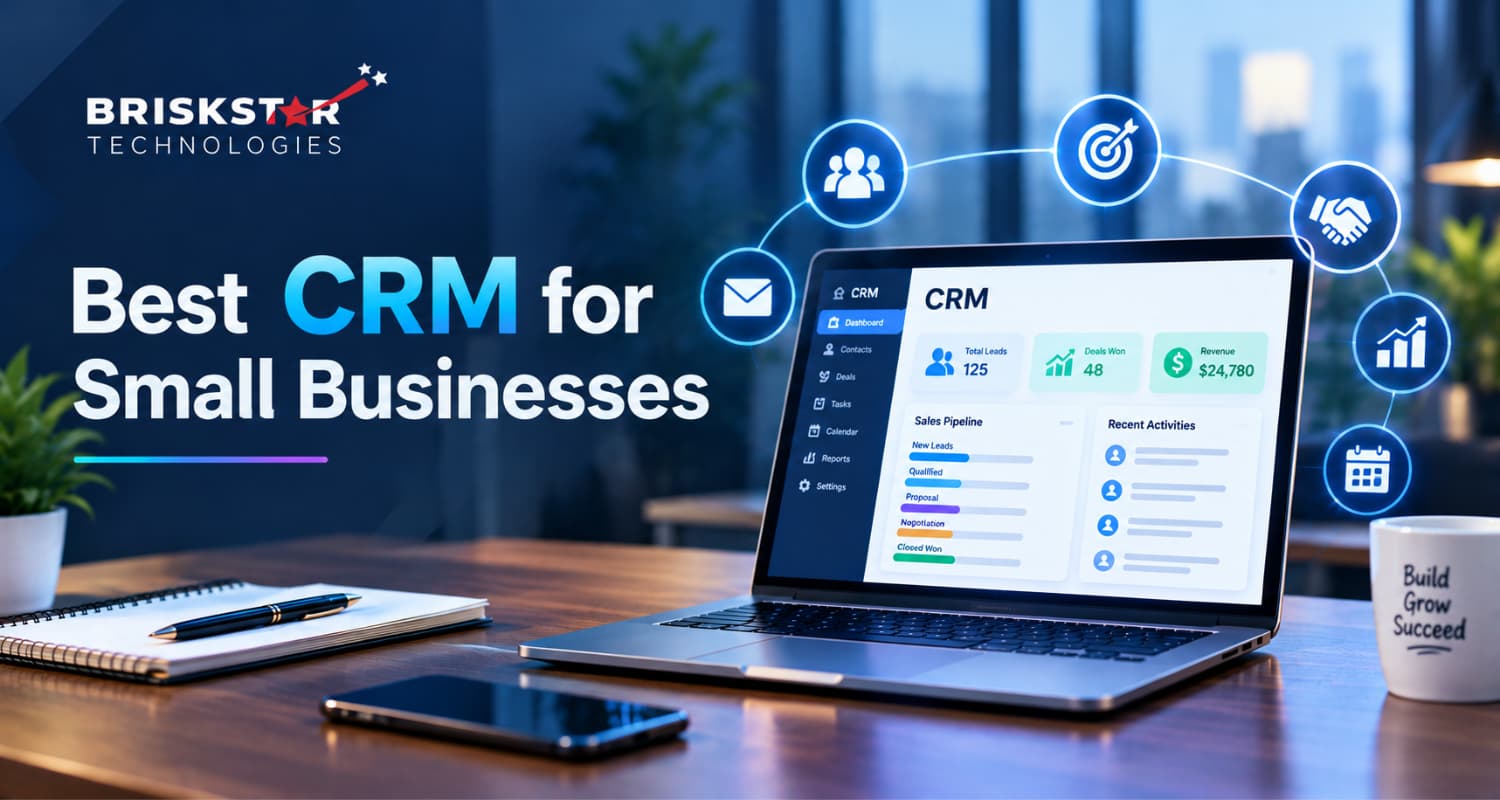
Best CRM for Small Businesses: Essential Features You Should Look For
A business owner told me last year that his CRM was “useless.”
We opened it. Four hundred contacts. Eleven deals in the pipeline. Last activity logged: six weeks earlier. His team wasn’t ignoring the CRM because it lacked features; it had plenty. They were ignoring it because it asked them to work in a way they didn’t sell.
That’s the real story behind most failed CRM purchases. The software wasn’t wrong. The fit was.
Roughly 91% of companies with ten or more employees now use a CRM (Grand View Research verifies the current figure), and the market keeps growing. But adoption numbers hide the uncomfortable part: a large share of those systems sit half-used. Gartner has long put CRM implementation failure rates somewhere between 30% and 70%, depending on how you define failure (verify this range is widely quoted with inconsistent sourcing).
So this guide isn’t a ranked vendor list. It’s how to pick the best CRM for small businesses the way people who install these systems for a living actually pick them: workflow first, features second.
One idea runs through everything below: don’t choose a CRM by feature count. Choose it by how well it supports the way your team already sells.
Try this before you compare anything: Write down your last 10 deals and every step between first contact and payment received. One page. That page will disqualify half your shortlist before you book a single demo.
What Is a CRM for Small Businesses?
A CRM (Customer Relationship Management) system is one shared place where every customer, prospect, conversation, task, and deal lives so nothing depends on somebody’s memory or somebody’s inbox.
For a small business, it does five jobs:
- Stores every contact with full history, in one searchable place
- Tracks deals through your sales pipeline stages
- Reminds the right person to follow up at the right time
- Records emails, calls, and notes against the customer
- Reports on pipeline value, conversion, and team activity
Here’s the difference in practice:
| Without a CRM |
With a CRM |
| Leads in Excel, chats on WhatsApp, quotes in email, notes in a diary |
All of it on one customer record |
| Only the owner knows where a deal stands |
Anyone can check in ten seconds |
| Follow-ups happen when someone remembers |
Follow-ups are scheduled, assigned, and tracked |
| A salesperson leaves and takes relationships with them |
The relationship history stays with the business |
In short: a CRM replaces scattered customer data with one shared record of every relationship you’ve built.
Why Small Businesses Need a CRM
Spreadsheets work longer than CRM vendors like to admit. But there’s a point where they start quietly costing you money. Here’s what that looks like.
Leads slip through the cracks
Enquiries land on your website form, Instagram, WhatsApp, a phone call, a referral from an old client. No single inbox means some never get a reply at all. Nobody notices, because you can’t miss a lead you never recorded.
Follow-up dies after the first attempt
This is the expensive one. Marketing Donut’s often-quoted research found that 44% of salespeople give up after one follow-up, while around 80% of sales need five or more follow-up contacts to close (verify frequently cited; the original study is dated).
Read that again. Most deals close on touch five. Most sellers stop at touch one. A CRM doesn’t make your team more persistent it just makes forgetting harder.
Customer knowledge lives in people, not the business
When history sits in personal phones and inboxes, it walks out the door during a resignation. I’ve watched a company lose an eight-year account because the only person who knew the client’s renewal terms left in March.
You can’t see your own pipeline
Ask most small business owners what’s likely to close this month, and you’ll get an estimate assembled from three phone calls and a guess.
Admin work eats selling time
Salesforce’s State of Sales research has repeatedly found sales reps spend less than a third of their time actually selling; the rest goes to admin, data entry, and internal meetings (verify against the latest edition). Every hour of copying details between a quote, an invoice, and a spreadsheet is an hour nobody spent talking to a buyer.
Performance is invisible
Without activity data, you can’t tell whether a rep has a lead problem, a follow-up problem, or a closing problem. So coaching becomes opinion.
A CRM won’t fix a weak offer or an untrained team. What it reliably fixes is leakage: deals lost to disorganisation rather than to competitors.
10 Essential CRM Features Small Businesses Should Look For
For each one: what it does → why it matters → what to actually test before you pay.
1. Contact and Lead Management
What it does: Holds people and companies with full history, lead source, notes, tags, and custom fields.
Why it matters: Everything else sits on top of this. If a rep can’t find a contact in five seconds, adoption dies in week two, and once a team goes back to the spreadsheet, getting them out again is much harder than getting them in the first time.
Test before you buy:
- Can you add custom fields that match your business service type, city, referral partner, site-visit date?
- How good is search, filtering, and duplicate detection with messy real data?
- Can you import your existing contacts cleanly and export them if you ever leave?
That last point gets skipped constantly. Check the exit before you walk in.
2. Sales Pipeline Management
What it does: Moves deals through visual stages, each with a value and expected close date.
Why it matters: Your pipeline is your forecast. It answers “what should I chase this week?” without a single meeting.
A typical small business pipeline:
New Lead → Qualified → Proposal Sent → Negotiation → Won / Lost
Test before you buy: Can you rename and reorder stages? Run multiple pipelines: new business separate from renewals? Record why you lost? Salesforce’s own research has claimed CRM use improves forecast accuracy by around 42% (vendor-published figure; treat with caution or drop it), but the mechanism is simple enough without a statistic: you can’t forecast what you can’t see.
A CRM that forces its stages onto your process is a CRM your team will quietly work around.
3. Task and Follow-Up Management
What it does: Reminders, due dates, assignments, and notifications tied directly to deals and contacts.
Why it matters: Given the follow-up numbers above, this feature alone often pays for the subscription. The deal you forgot is the deal your competitor closed on Thursday.
Test before you buy:
- Can a follow-up task be created automatically when a deal enters a stage?
- Is there a view showing deals with no next activity scheduled? This is the single most underrated report in any CRM; it catches stalled deals faster than any dashboard.
- Do reminders reach reps where they actually work: phone, email, Slack?
4. Email and Communication Tracking
What it does: Syncs email, logs calls, stores templates, and keeps the full conversation thread on the customer record.
Why it matters: Whoever picks up an account should see the entire history without asking a colleague. That’s the difference between a business that looks organised to its customers and one that doesn’t.
Test before you buy: Confirm which channels are supported on your plan, in your region. WhatsApp Business, telephony/IVR, and regional email providers are the common gaps. Test genuine two-way sync, not just a “send from CRM” button that never captures the reply.
5. Workflow Automation
What it does: Runs the repetitive rules so people don’t have to.
Real example:
Website form submitted → contact created → assigned by territory → acknowledgement email sent → follow-up task created for tomorrow morning
Why it matters: This is where a CRM stops being a database and starts giving you hours back. Automating just lead assignment and acknowledgement usually cuts response time from hours to seconds, and speed to first response is one of the strongest predictors of whether a lead converts at all.
Test before you buy: How many automation rules come with your tier, and can a non-technical person build one? Serious automation is very often gated behind a higher plan. That cost shows up in month three, not on the pricing page.
Worth a conversation: Not sure which parts of your process are worth automating? Book a 30-minute CRM workflow review
6. Reporting and Analytics
What it does: Turns scattered activity into decisions you can act on Monday morning.
Test before you buy: Can you build a custom report without hiring a consultant? Can it be emailed to you weekly? A dashboard nobody opens is decoration. A Monday 9am email gets read.
Metrics worth tracking from day one:
| Metric |
What It Tells You |
| New leads by source |
Which channels deserve more budget |
| Conversion rate by stage |
Exactly where deals stall |
| Pipeline value |
Realistic revenue opportunity |
| Average sales cycle |
Where your process drags |
| Lost deal reasons |
What to fix in your offer or pricing |
| Activity per rep |
Effort problem vs skill problem |
One caution: reports are only as honest as your data. Gartner has estimated poor data quality costs organisations an average of $12.9 million per year (enterprise-scale figure; use it as context, not as a small business number). At your scale, it shows up smaller but the same way: forecasts nobody trusts.
7. Mobile Accessibility
What it does: Gives field sales, service teams, and owners access away from a desk.
Why it matters: If updating the CRM needs a laptop, updates happen days late or not at all.
An often-quoted study by Innoppl Technologies found 65% of sales reps using a mobile CRM hit their quota, versus 22% of those without (old and weakly sourced; verify or replace). Nucleus Research has separately reported mobile CRM access improving productivity by around 14.6% (also dated). Treat both as directional.
Test before you buy: Is there a real mobile app, not just a shrunk website? Can a rep log a call, update a stage, and add a note in under 30 seconds, standing outside a client’s office? Does it work offline?
8. Integrations
What it does: Connects your CRM to everything else you already run.
The integrations that usually matter: email and calendar (Google Workspace, Microsoft 365), accounting (QuickBooks, Tally, Zoho Books), website forms, marketing automation, e-commerce (Shopify, WooCommerce), support desks, and messaging platforms.
Test before you buy: Don’t count integrations; check yours, on your plan, in your region. Then ask a second question almost nobody asks in a demo: is there an open API and webhook support? Your third-year requirement isn’t on the vendor’s list today, and the API is what decides whether it’s possible.
9. Security and User Permissions
What it does: Controls who sees what, and protects the most valuable commercial asset you own.
Why it matters: A salesperson who can export your full customer database on their last day is a real, boring, common risk.
Test before you buy:
- Role-based access and record-level visibility
- Two-factor authentication (2FA), and SSO if you need it
- Export restrictions and audit/activity logs
- Backup, recovery, and where your data is physically hosted
- The vendor’s documented position on GDPR or whatever applies to you
Take vendor compliance claims as a starting point, not proof. Compliance depends on your configuration, your contracts, and your processes as much as their product certificate.
10. Scalability and Customization
What it does: Lets the system grow instead of becoming a wall.
Test before you buy: Custom fields and modules, custom workflows, adding users mid-year, API availability, reporting flexibility, and the honest cost of the next tier up.
A CRM should solve today’s problem without creating a migration project six months from now.
How to Choose the Best CRM for Your Small Business
Here’s the framework we use with clients:
Workflow → Features → Integrations → Security → Usability → Cost → Scalability
| Step |
What You Do |
What You End With |
| 1. Name the problems |
List what’s breaking now: missed leads, no visibility |
A problem list |
| 2. Define the users |
Who logs in daily vs. monthly |
User count by role |
| 3. Map your sales process |
Real stages, enquiry to payment |
Pipeline design |
| 4. List must-have integrations |
Email, accounting, website, support |
Non-negotiables |
| 5. Set the budget |
Annual cost including setup and training |
A real range |
| 6. Compare usability |
Can a new rep log a deal unaided? |
Shortlist of 2–3 |
| 7. Test automation |
Build one real workflow in the trial |
Pass or fail |
| 8. Review security |
Roles, 2FA, exports, backups |
Risk check |
| 9. Check scalability |
Cost and limits at 3x your size |
Upgrade path |
| 10. Run a real trial |
Two weeks, live leads, real team |
A decision |
Step 10 is the one everyone skips, and it’s the one that predicts the outcome. Run the trial with live leads and your two most skeptical team members. If they won’t use it while it’s free, they certainly won’t after you’ve paid for a year.
CRM Features by Business Type
Priorities shift a lot by industry. Roughly:
| Business Type |
What Matters Most |
| Real Estate |
Portal lead capture, site-visit scheduling, heavy follow-up automation, property-linked deals |
| E-commerce |
Order and customer history, marketing automation, support integration, repeat-purchase segmentation |
| Professional Services |
Proposal tracking, retainer and renewal pipelines, task management, client history |
| Healthcare |
Strict role permissions, consent and communication tracking, audit logs, secure integrations |
| SaaS |
Lead scoring, trial-to-paid pipeline, product usage data, renewal and churn tracking |
| Agencies |
Client management, multi-pipeline (new business + upsell), reporting, collaboration |
| Manufacturing / B2B trade |
Quotation management, dealer and distributor records, long cycles, order system integration |
A necessary caution on healthcare and other regulated sectors: no CRM is automatically compliant with anything. Compliance depends on configuration, vendor controls, signed agreements, and your own internal processes. Get it validated by your legal advisor before patient data goes anywhere near it.
CRM vs Spreadsheet: When Should a Small Business Switch?
Honest answer: a spreadsheet is fine for longer than most CRM vendors will tell you.
| A spreadsheet still works when… |
A CRM earns its cost when… |
| One person handles all customers |
Two or more people touch the same customer |
| The sales process is short and simple |
Deals need repeated follow-up over weeks |
| Few active leads at any time |
Leads are being missed or forgotten |
| You need almost no reporting |
You need pipeline and conversion visibility |
| Admin work is minimal |
Manual data entry is eating selling hours |
Rule of thumb: the moment you can’t answer “who is following up with this lead, and when?” without opening three apps, you’ve outgrown the spreadsheet.
Notice that the trigger is collaboration, not contact volume. Plenty of businesses with 5,000 contacts don’t need a CRM. Plenty with 200 do.
How Much Does a CRM Cost for a Small Business?
There’s no single answer, but there are only a few pricing models:
| Model |
How It Works |
Watch For |
| Per user / month |
Most common, billed per seat |
Cost scales fast as the team grows |
| Tiered plans |
Features unlock by tier |
Automation and reporting usually sit higher up |
| Free tier |
Limited users, records, features |
Record caps and missing integrations |
| Usage-based |
Priced by contacts, emails, or API calls |
Bills grow with your database |
| One-time / custom build |
You own it, no per-seat fee |
Higher upfront, ongoing maintenance |
The costs that never appear on the pricing page
- Data migration and cleanup
- Implementation and configuration
- Training and the productivity dip while people learn
- Paid connectors or middleware to bridge missing integrations
- Extra users added mid-contract
- Premium support or onboarding
- Storage and API overage charges
Is the return real?
The most-quoted CRM ROI figure comes from Nucleus Research: $8.71 returned for every $1 spent (this study is from 2014; verify whether a current version exists before publishing it). I’d be cautious about quoting it as gospel. The return is real, but it comes almost entirely from adoption. A CRM used properly by four people beats an expensive one logged into weekly by ten.
The comparison that actually matters: total cost over three years at your expected team size, not this month’s list price. The cheapest CRM at 3 users is regularly the most expensive at 12.
If you cite specific vendor pricing anywhere in your decision, check it on the vendor’s official pricing page. These plans change more often than blogs update.
Common CRM Buying Mistakes Small Businesses Should Avoid
Given the failure rates mentioned earlier, most of these can be avoided before you sign anything.
Buying features you’ll never use. Enterprise feature lists look impressive in a demo and become clutter by month two.
Choosing purely on price. A cheap CRM nobody uses costs more than a good one that gets used daily.
Ignoring adoption. This is the number one killer. Involve the people who’ll live in it before you commit, not during onboarding.
Not verifying integrations. “Integrates with Gmail” can mean full two-way sync or a send button. Only one of those is useful.
Underestimating migration. Messy data imported into a clean CRM produces a messy CRM. Clean first, import second. Always.
Overlooking security and permissions. Decide who can export data on day one. Retrofitting that after a bad exit is painful and late.
Testing with demo data. Sample data is perfect by design. Run your ugliest real deal through the trial instead of the one with three decision-makers and a revised quote.
Forcing your process into the CRM’s process. If the tool can’t model how you actually sell, your team will keep a shadow spreadsheet. The day you spot that spreadsheet is the day you know the fit was wrong.
When a Custom CRM Makes More Sense
Most small businesses should start with an off-the-shelf CRM. I’ll say that plainly, even though we build custom systems.
A custom CRM becomes worth discussing when standard tools start costing you more than they save. That usually means:
- Industry-specific workflows no vendor supports
- Multi-step approval or compliance processes
- Several internal systems — ERP, inventory, billing — that must talk to each other
- Pricing or automation logic unique to your business
- A need for customer or partner portals
- A process that is your competitive advantage
- Per-user licensing that has quietly become one of your larger software costs
|
Off-the-Shelf CRM |
Custom CRM |
| Setup time |
Days to weeks |
Weeks to months |
| Upfront cost |
Low |
Higher |
| Ongoing cost |
Per user, forever |
Maintenance and hosting |
| Process fit |
You adapt to the tool |
The tool matches your process |
| Integrations |
Pre-built, limited |
Built for your systems |
| Data ownership |
Vendor-hosted |
Fully yours |
| Best for |
Standard sales processes |
Unique workflows, scale, integration depth |
“Isn’t custom too expensive for a small business?”
Sometimes. The fair comparison isn’t custom vs. one month of subscription; it’s custom vs. three years of per-user licensing, plus paid add-ons, plus the cost of the workarounds your team invents to cope. Below roughly ten users with a standard sales process, off-the-shelf almost always wins. Above that, with genuine customization needs, the arithmetic changes.
Industry, the problem, what was built, measurable outcome. No confidential client details. If you don’t have one cleared for publication, delete this line rather than inventing one.
A middle path most people miss: keep a standard CRM as your system of record, and build custom automation, integrations, or a customer portal around it. Far cheaper than a rebuild, and it removes the specific bottleneck instead of replacing everything that already works.
How AI Can Improve a Small Business CRM
AI in a CRM is genuinely useful in narrow, fairly boring ways, mostly by eliminating data entry and telling you what to do next.
What’s actually working today:
- Lead scoring based on behaviour and fit
- Call and email summaries written straight into the record
- Draft follow-up emails built from conversation history
- Automatic data capture from emails, forms and calls
- Next-best-action prompts on stalled deals
- Sales forecasting from historical pipeline data
- Conversation intelligence on sales calls
Salesforce’s recent State of Sales research has reported that a large majority of sales teams are either using or actively piloting AI tools (verify the current edition and exact figure before citing). Adoption is moving quickly, so anything you quote here should be from the last twelve months or not at all.
Two cautions I’d give any client. AI output is only as good as your CRM data; messy records produce confident nonsense at speed. And before you switch anything on, check where the processing happens and what the vendor does with your customer data.
CRM Implementation Checklist
- Define your sales stages and your loss reasons
- Clean existing data duplicates, formats, dead contacts
- Import contacts and open deals
- Configure user roles and permissions
- Connect integrations: email, calendar, website forms, accounting
- Build lead-assignment and follow-up workflows
- Set up dashboards plus one weekly report email
- Train the team on the daily routine, not the feature list
- Test automation with real leads
- Agree one rule out loud: if it isn’t in the CRM, it didn’t happen
- Review adoption and pipeline accuracy at 30 and 90 days
The 30-day review is the one that matters. Almost every CRM failure is visible by week three and fixable then, if somebody’s actually looking.
Final Takeaway
The best CRM for a small business depends on your sales process, team size, budget, integrations, and growth plans, not on which vendor’s feature list runs longest.
Start with the workflows costing you time or losing you deals right now. Map your real process. Then judge CRMs against that map, run a genuine trial, and check the three-year cost before you sign anything.
Need a CRM built around your workflow instead of the other way round?
Briskstar builds custom CRM systems, automation, and integrations for businesses whose processes don’t fit off-the-shelf tools. Talk to our team
Frequently Asked Questions About Our Blog
There's no universal winner. The right CRM matches your sales process, connects to the tools you already use, gets used daily by your team, and stays affordable as you grow. Shortlist two or three, then run a two-week trial with real leads before you decide. The trial tells you more than any comparison chart.
At minimum: contact and lead management, sales pipeline tracking, task and follow-up reminders, email and call logging, basic workflow automation, reporting, mobile access, your key integrations, and user permissions. Anything beyond that should be justified by a problem you have this quarter, not one you might have someday.
It's worth it when you're losing revenue to disorganisation, missed enquiries, forgotten follow-ups, no pipeline visibility, customer history trapped in personal inboxes. Given that most sales need five or more follow-ups, the follow-up tracking alone often covers the cost. If one person handles a handful of simple deals, a spreadsheet may still be enough.
Most CRMs charge per user per month with feature tiers. Free plans exist but limit users, records, automation, and integrations. Budget for migration, setup, training, and connectors alongside the subscription, and compare total cost across three years at your expected team size rather than month one.
Yes, and it's a sensible way to start. Free tiers work well for small teams with simple processes. Check the limits first: user count, contact caps, automation rules, integrations, and email sync are the usual restrictions. Also confirm you can export your data cleanly if you outgrow it.
Ease of use is specific to your team, so judge it in the trial. Can a new rep add a lead, log a call, and move a deal without training? Fewer clicks on the daily tasks matter far more than the length of the feature list. Ask your least tech-confident team member to try it; their verdict is the honest one.
Excel is fine for one person with few leads and a short process. Switch when multiple people touch the same customer, follow-ups are being missed, or you need pipeline reporting. The trigger is collaboration, not contact count. Plenty of businesses with thousands of contacts don't need a CRM, and plenty with two hundred do.
When off-the-shelf tools can't support your workflow, when you need deep integration with internal systems like ERP or billing, when per-user licensing has grown expensive at your headcount, or when your process is a genuine competitive advantage. Below that, a standard CRM with custom automation built around it usually delivers better value.
A simple setup with clean data can go live in a few days. Realistically, plan two to six weeks covering data cleanup, configuration, integrations, and training. Rushing migration is the single most common cause of poor adoption; the bad data you import on day one is still there in month six.
Involve them in the selection, keep required fields minimal at launch, run every pipeline review from the CRM only, and remove the parallel spreadsheet. Adoption is a management decision far more than a software one. If leadership checks the CRM before asking for an update, the team will keep it current.