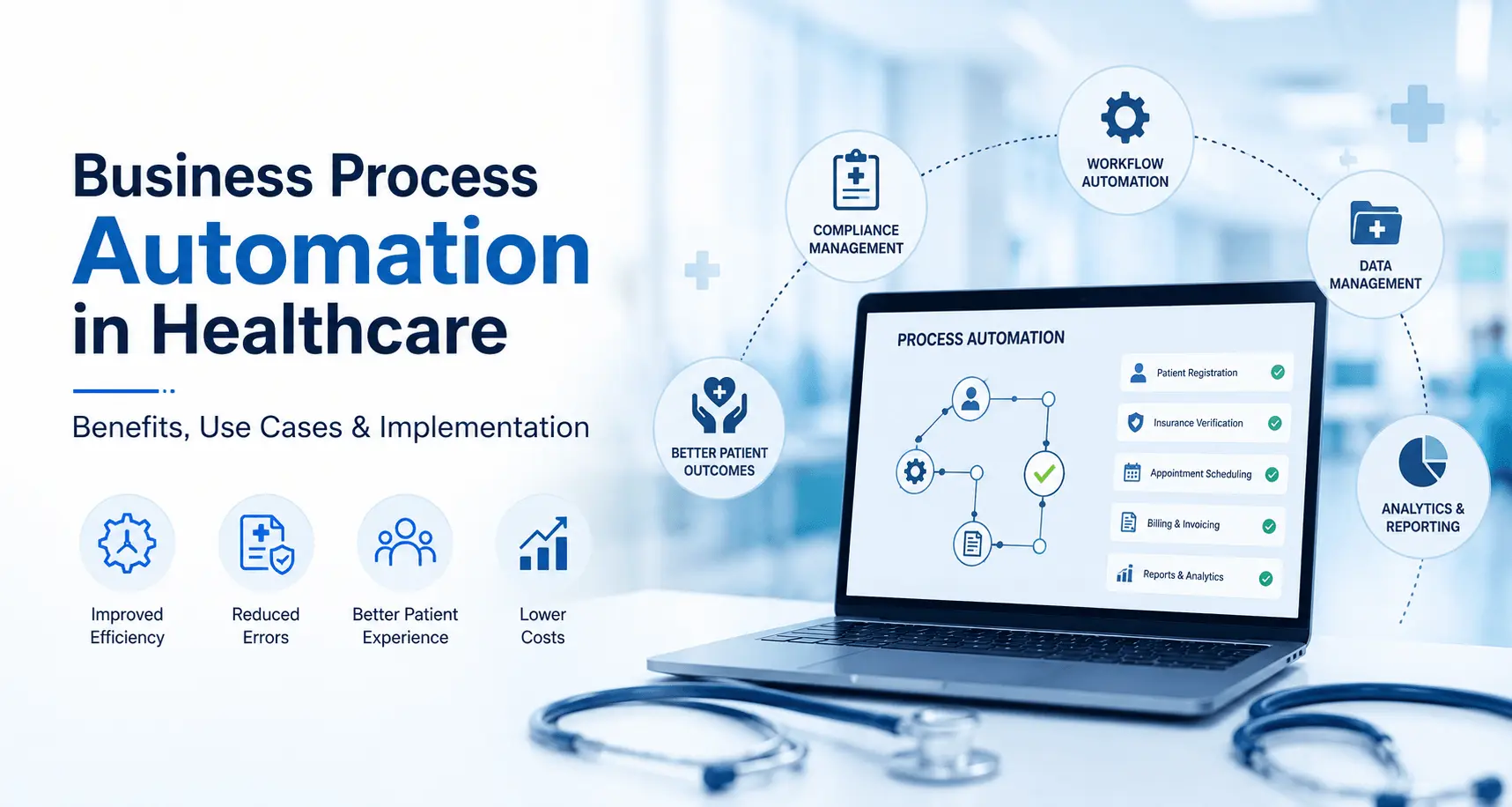
Business Process Automation in Healthcare: Benefits, Use Cases & Implementation Guide
A 200-bed hospital’s billing team spends four hours a day chasing down missing prior authorizations. A multi-location clinic loses two front-desk staff to burnout every year because they’re stuck re-entering the same patient data into three different systems. This isn’t a rare story, it’s the daily reality for most US healthcare providers in 2026.
Business process automation in healthcare is how forward-thinking hospitals, clinics, and insurance providers are fixing this not by hiring more staff, but by removing the repetitive, error-prone work that shouldn’t need a human in the first place. According to a 2025 McKinsey healthcare operations report, organizations that automated core administrative workflows cut operational costs by 15–30% within the first 18 months.
This guide breaks down what business process automation in healthcare actually looks like in practice, the real use cases, the compliance considerations, the costs, and a practical roadmap you can use whether you’re running a single clinic or a regional hospital network.
Healthcare Automation Statistics You Should Know
Numbers help decision-makers see past the buzzwords. Here’s what the data says about where healthcare automation stands today.
- 30% of healthcare spending in the US goes toward administrative costs, according to a 2024 JAMA study much of it tied to manual, repeatable processes.
- $25 billion is lost annually to claims processing inefficiencies and denials, per CMS estimates from 2024. Automated claims scrubbing directly targets this.
- 83% of healthcare executives say administrative burden is a top driver of clinical staff burnout, according to a 2025 HIMSS survey.
- 60–70% reduction in manual data entry time has been reported by health systems that implemented intelligent document processing for intake forms, per a 2025 Deloitte healthcare technology report.
- Prior authorization delays cost providers an average of 12 hours per physician per week, according to a 2024 American Medical Association (AMA) survey.
- Revenue cycle automation can reduce claim denial rates by up to 20%, based on 2025 PwC health industry benchmarking data.
- HIPAA-related compliance fines topped $150 million in cumulative settlements in 2024–2025, much of it linked to manual, unmonitored data-handling processes.
- 72% of hospitals plan to increase investment in AI-powered automation tools in the next two years, according to a 2025 Gartner healthcare IT survey.
- Patient scheduling no-shows drop by 25–35% when automated reminder and rebooking workflows are in place, per industry benchmarking from 2025.
- EHR-related physician burnout affects nearly half of practicing physicians, with documentation workflows cited as the biggest time sink, according to a 2024 Harvard Business Review analysis.
What this means practically: the cost of not automating isn’t neutral. It shows up as denied claims, burned-out staff, compliance risk, and slower patient care every single month.
Why Healthcare Organizations Are Struggling Right Now
Talk to any hospital administrator or clinic owner and the same complaints come up:
- Staff shortages meet rising patient volume. There simply aren’t enough hands to keep up with manual scheduling, billing, and documentation.
- Systems don’t talk to each other. EHR, billing software, insurance portals, and lab systems often run in silos, forcing staff to manually re-key the same data multiple times.
- Compliance pressure keeps growing. HIPAA, CMS reporting rules, and payer-specific requirements change frequently, and manual processes make it hard to keep up.
- Revenue cycle friction. Claim denials, coding errors, and slow prior authorizations directly delay cash flow.
- Burnout is a retention problem, not just a wellness problem. Administrative overload is now one of the top reasons clinical and non-clinical staff leave healthcare jobs.
These aren’t problems you solve by adding headcount. They’re workflow problems and workflow problems are exactly what business process automation in healthcare is built to solve.
It’s worth being honest about why past attempts at “digital transformation” haven’t fully solved this. Many healthcare organizations already invested in an EHR system, a billing platform, and a scheduling tool but each was implemented separately, by different vendors, at different times. The result is a patchwork of systems that each work fine on their own but don’t share data automatically. Business process automation in healthcare isn’t about buying another standalone tool; it’s about connecting the tools you already have so information flows between them without a person copying and pasting it manually.
What Is Business Process Automation in Healthcare?
Business process automation in healthcare is the use of software, rules-based workflows, and AI to handle repetitive administrative and clinical-support tasks like patient intake, appointment scheduling, insurance verification, claims processing, and compliance reporting without requiring manual effort at every step.
In short: it takes the parts of healthcare operations that don’t need a human judgment call and lets a system handle them accurately, consistently, and around the clock.
It’s not about replacing clinicians. A well-designed automation strategy touches the operational layer, the paperwork, the data entry, the follow-ups so your staff can focus on patients instead of processes.
Example: Instead of a front-desk employee manually verifying insurance eligibility by phone or a payer portal for every patient, an automated workflow checks eligibility in real time as soon as an appointment is booked, flags any issues, and routes exceptions to a human for review.
Benefits of Business Process Automation in Healthcare
1. Lower Operational Costs
Automating claims processing, scheduling, and documentation reduces the staff hours needed for repetitive tasks, directly cutting administrative overhead.
2. Fewer Billing Errors and Denials
Automated claims scrubbing catches coding errors and missing information before submission, which reduces denial rates and speeds up reimbursement.
3. Reduced Staff Burnout
When front-desk and billing teams aren’t buried in repetitive data entry, turnover drops and morale improves has a direct impact on retention costs.
4. Faster Patient Throughput
Automated intake, scheduling, and prior authorization workflows shorten the time between a patient booking an appointment and actually being seen.
5. Improved Compliance Consistency
Automated workflows apply the same rules every time, which reduces the human-error risk that often leads to HIPAA or CMS compliance issues.
6. Better Data Accuracy Across Systems
Integration between EHR, billing, and scheduling systems means data is entered once and flows everywhere it’s needed, no duplicate entry, no mismatched records.
7. Scalability Without Proportional Headcount Growth
A multi-location clinic group can add new locations without needing to scale administrative staff at the same rate, because workflows are standardized and automated.
8. Faster Cash Flow Through Cleaner Claims
When claims are scrubbed automatically before submission checking for missing modifiers, mismatched codes, or incomplete documentation fewer claims bounce back for correction. That means fewer resubmission cycles and money hitting the bank faster, which matters most for smaller practices operating on tight margins.
9. Better Patient Experience
Automated appointment reminders, digital intake forms, and faster prior authorization turnaround all shorten the friction patients feel before they even see a provider. A patient who isn’t stuck redoing paperwork in the waiting room is a patient more likely to stay loyal to your practice.
Real Healthcare Automation Use Cases
Multi-Location Clinics
A dermatology group with 12 locations automated patient intake forms using intelligent document processing (IDP). Instead of front-desk staff manually entering handwritten forms into the EHR, scanned forms are parsed automatically, validated against existing patient records, and flagged only when something doesn’t match. Intake time per patient dropped from 8 minutes to under 2.
Hospitals
A regional hospital network automated its prior authorization workflow. The system checks payer requirements automatically, pulls relevant clinical documentation from the EHR, and submits requests without a case manager manually compiling paperwork for each one. This cut average prior auth turnaround from 5 days to under 24 hours for standard cases.
Insurance Providers
A regional health insurer automated claims triage, using rules-based logic to auto-approve straightforward, low-risk claims and route only complex or flagged claims to human adjusters. This freed up adjuster time to focus on claims that actually need judgment.
Diagnostic Centers
An imaging center chain automated results delivery and follow-up scheduling. Once a radiologist signs off on a report, the system automatically notifies the referring physician, updates the patient portal, and schedules any recommended follow-up imaging with no manual coordination required.
Revenue Cycle Management
A hospital billing department automated eligibility verification, claims scrubbing, and denial management, reducing denial rates by 18% and shortening the average days-in-accounts-receivable cycle by nearly a third.
Compliance Reporting
A behavioral health provider group automated its CMS quality reporting process. Instead of staff manually pulling data from multiple systems every quarter to compile required reports, an automated workflow aggregates the data continuously and flags any missing fields well before the reporting deadline, reducing last-minute scrambling and the compliance risk that comes with it.
AI’s Role in Healthcare Process Automation
Traditional rules-based automation handles predictable, repeatable tasks well. AI extends that capability into areas that involve judgment, language, and pattern recognition.
- Intelligent Document Processing (IDP): AI models read handwritten and scanned forms, insurance cards, and referral letters, extracting structured data instead of requiring manual entry.
- Natural language processing (NLP) for clinical notes: AI can summarize physician notes and flag relevant information for billing coders, reducing manual chart review time.
- Predictive scheduling: AI models predict no-show risk and optimize appointment slots accordingly, reducing wasted capacity.
- Claims denial prediction: Machine learning models flag claims likely to be denied before submission, so staff can correct issues proactively instead of reactively.
- Workflow orchestration: AI-driven orchestration layers connect EHR, billing, and scheduling systems via APIs, so data moves automatically between systems instead of being manually re-entered.
In short: rules-based automation handles the “if this, then that” logic. AI handles the parts that require interpreting unstructured information handwriting, free text, and pattern-based predictions. Most modern healthcare automation platforms combine both.
HIPAA & Compliance Considerations
Automating healthcare workflows means automating the handling of protected health information (PHI) which makes compliance a design requirement, not an afterthought.
Key considerations for any healthcare automation initiative:
- Business Associate Agreements (BAAs): Any automation vendor or platform that touches PHI needs a signed BAA in place before deployment.
- Access controls and audit logging: Automated workflows should log every access and change to PHI, with role-based access limiting who and what system can view specific data.
- Data encryption in transit and at rest: This applies to every integration point, especially API connections between EHR, billing systems, and third-party automation tools.
- De-identification for AI training: If AI models are being trained or fine-tuned using patient data, that data should be de-identified in line with HIPAA Safe Harbor or Expert Determination standards.
- ONC and interoperability standards: Automation involving EHR data exchange should align with HL7 FHIR standards to remain compatible with certified health IT systems and future ONC interoperability requirements.
- Vendor risk assessments: Every third-party automation tool should go through a security and compliance review before integration, not after.
Automation done right actually strengthens compliance; consistent, logged, rules-based processes are easier to audit than manual ones where every staff member handles PHI slightly differently.
Common Mistakes Healthcare Organizations Make
- Automating a broken process. If your prior authorization workflow is inefficient on paper, automating it just makes the same mistakes happen faster. Fix the workflow logic first.
- Skipping staff involvement. Automation projects that don’t include the front-desk and billing staff who actually run the process tend to miss real-world edge cases.
- Underestimating integration complexity. EHR and billing systems vary widely in how open their APIs are. Assuming a plug-and-play integration is a common and costly miscalculation.
- Ignoring change management. Staff who feel automation threatens their job will resist adoption. Framing automation as removing tedious work, not replacing people, matters for buy-in.
- Treating compliance as a later step. Building automation first and retrofitting HIPAA compliance afterward is expensive and risky. Compliance needs to be part of the initial design.
- Trying to automate everything at once. Organizations that attempt a full operational overhaul in one phase often stall out. Starting with one high-friction workflow builds momentum and internal trust.
Implementation Roadmap
A practical, phased approach works better than an all-at-once rollout.
Phase 1: Assessment (2–4 weeks) Map your current workflows. Identify the highest-friction, highest-volume processes usually scheduling, intake, or claims where automation will have the most immediate impact.
Phase 2: Pilot (4–8 weeks) Automate one workflow end-to-end, in one location or department. Measure time saved, error reduction, and staff feedback before expanding.
Phase 3: Integration (2–3 months) Connect the automated workflow to your EHR, billing system, and any payer portals via API, ensuring HIPAA-compliant data handling throughout.
Phase 4: Expansion (ongoing) Roll out proven workflows across additional departments or locations, layering in AI-powered components like document processing or denial prediction as the foundation stabilizes.
Phase 5: Optimization (continuous) Review automation performance quarterly. Workflows should be refined as payer rules, compliance requirements, and patient volume evolve.
Cost & ROI Expectations
Costs vary significantly based on scope, but here’s a realistic range for US healthcare organizations:
| Automation Scope |
Typical Cost Range |
Timeframe |
| Single workflow (e.g., scheduling automation) |
$15,000–$50,000 |
6–10 weeks |
| Multi-workflow automation (intake + billing + scheduling) |
$75,000–$200,000 |
3–6 months |
| Enterprise-wide automation platform with AI integration |
$250,000+ |
6–12 months |
ROI drivers to expect:
- Reduced administrative labor hours (often the fastest payback period)
- Lower claim denial rates, improving cash flow within 2–3 billing cycles
- Reduced staff turnover costs tied to burnout
- Fewer compliance-related penalties from manual data-handling errors
Most healthcare organizations see measurable ROI within 12–18 months, with revenue cycle automation typically paying back the fastest because the cost savings show up directly in reduced denials and faster reimbursement.
Future Trends in Healthcare Automation (2026 and Beyond)
- Agentic AI workflows: Instead of single-task automation, AI agents will increasingly handle multi-step processes like managing an entire prior authorization request from documentation gathering to submission with human oversight only at decision points.
- Deeper EHR interoperability: As FHIR adoption grows, automation platforms will connect more seamlessly across different EHR vendors, reducing integration friction.
- Predictive operations: AI will shift from reactive automation (processing what’s already happened) to predictive automation forecasting claim denials, no-shows, and staffing needs before they occur.
- Voice-based clinical documentation: Ambient AI scribes are becoming standard in outpatient settings, automatically generating clinical notes from patient-physician conversations.
- Compliance automation maturing: Automated compliance monitoring tools will increasingly flag HIPAA and CMS reporting risks in real time, rather than during periodic audits.
Build vs. Buy: Choosing the Right Approach
Once leadership agrees automation is worth pursuing, the next decision is how to get there. There are three realistic paths, and each fits a different situation.
| Approach |
Cost |
Timeline |
Flexibility |
Best For |
| Off-the-shelf automation software |
$ |
Fastest (weeks) |
Low limited to vendor’s workflow templates |
Small clinics with standard, simple workflows |
| Custom-built automation |
$$$ |
Moderate (2–6 months) |
High built around your exact systems and payer rules |
Multi-location clinics, hospitals, insurers with unique workflows |
| Hybrid (platform + custom integration layer) |
$$ |
Moderate (6–10 weeks per workflow) |
Medium-High combines speed with tailored integration |
Organizations that want to move fast but still need EHR/payer-specific logic |
Off-the-shelf tools are attractive because they’re quick to deploy, but they’re built for the average clinic, not your specific payer mix, EHR vendor, or compliance requirements. Organizations often outgrow them within a year and end up rebuilding anyway.
Custom-built automation takes longer upfront but is designed around your actual workflows instead of forcing your workflows to match a template. For hospitals and multi-location groups with more complex payer relationships, this usually delivers the strongest long-term ROI.
Hybrid approaches using a flexible automation platform with a custom integration layer for EHR and payer-specific logic often give the best balance of speed and fit, especially for organizations that want to pilot quickly before committing to a full custom build.
A note on choosing a development partner: Look for a team that has actually built healthcare-specific automation before, not a general software vendor adding “healthcare” to their service list. Ask about their experience with HIPAA-compliant architecture, EHR integrations (specifically HL7 FHIR), and whether they’ve worked with your EHR vendor or a similar one. A partner who understands healthcare compliance from the start will save you months of rework later.
Why Healthcare Organizations Choose Briskstar
Healthcare operations don’t run on generic software, they run on workflows shaped by payer rules, HIPAA requirements, and systems that were never designed to talk to each other. Briskstar builds automation around that reality, not around a one-size-fits-all template.
- Custom healthcare automation solutions built around your existing EHR, billing, and scheduling systems not a rip-and-replace approach.
- HIPAA-conscious development from day one, with BAAs, access controls, and audit logging built into every workflow.
- AI integration expertise, from intelligent document processing to claims denial prediction models.
- Cloud-native architecture designed to scale across single clinics or multi-location health systems.
- API integrations connecting EHR, RCM, and payer systems without disrupting daily operations.
- Workflow optimization based on how your staff actually work, not a generic automation template.
- Dedicated engineering teams who understand healthcare compliance requirements, not just software development.
- Ongoing maintenance and support, because payer rules and compliance requirements change and automation needs to keep up.
Conclusion
Business process automation in healthcare isn’t a future consideration; it’s already the difference between organizations that are managing rising administrative costs and staff burnout, and those that are being managed by them. The data is clear: automated claims processing, intake, and prior authorization workflows consistently cut costs, reduce denials, and give staff their time back.
The organizations getting the most value aren’t the ones automating everything at once. They’re starting with one high-friction workflow, proving the ROI, and expanding from there with compliance built in from the beginning, not bolted on afterward.
If administrative overhead, claim denials, or staff burnout are slowing your organization down, the next step isn’t more headcount, it’s the right automation partner who understands healthcare operations and compliance requirements.
Ready to see where automation could save your organization the most time and money? Talk to Briskstar’ healthcare automation team for a free workflow assessment.
Frequently Asked Questions About Our Blog
Costs range from $15,000 for a single automated workflow to $250,000+ for enterprise-wide platforms. Most organizations start with one high-impact workflow, like claims processing or scheduling, and expand once ROI is proven which keeps initial investment manageable.
A single workflow can be automated in 6–10 weeks. Multi-workflow rollouts across a hospital or clinic network typically take 3–6 months, depending on how many systems need to be integrated.
Not if it's designed correctly. Automation actually reduces risk when access controls, audit logging, and BAAs are built in from the start, since automated processes apply consistent rules every time rather than depending on individual staff behavior.
Most modern EHR systems support API-based integration, especially those aligned with HL7 FHIR standards. The complexity depends on your specific EHR vendor, but integration is achievable for the vast majority of certified health IT platforms.
Most organizations see measurable ROI within 12–18 months. Revenue cycle automation tends to pay back fastest, often within 2–3 billing cycles, because reduced claim denials directly improve cash flow.
No, it removes repetitive tasks so staff can focus on higher-value work, like patient communication and exception handling. Most organizations redeploy staff time rather than reduce headcount, especially given ongoing healthcare staffing shortages.
Automating a broken or inefficient process. If a workflow has structural problems, automation will just make those problems happen faster. Fixing the underlying process before automating it is essential.